Overview
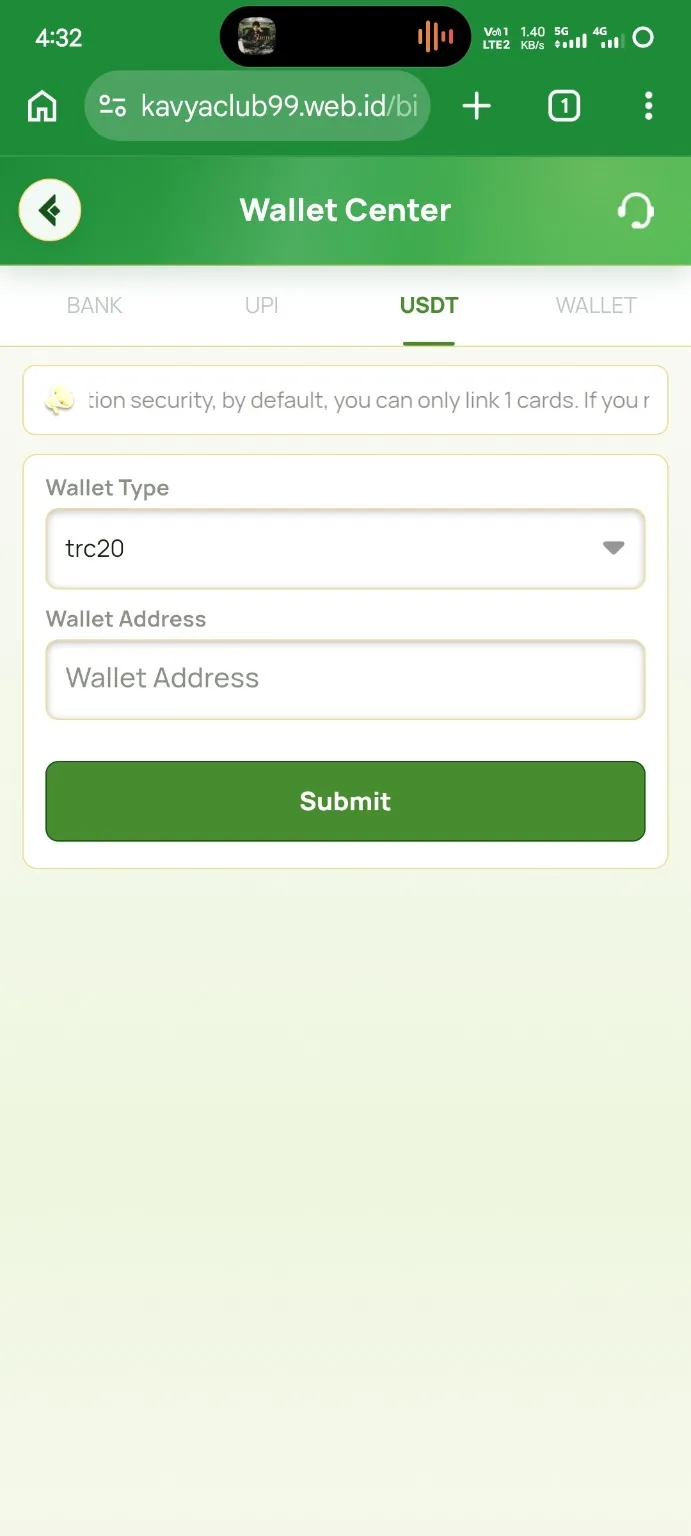
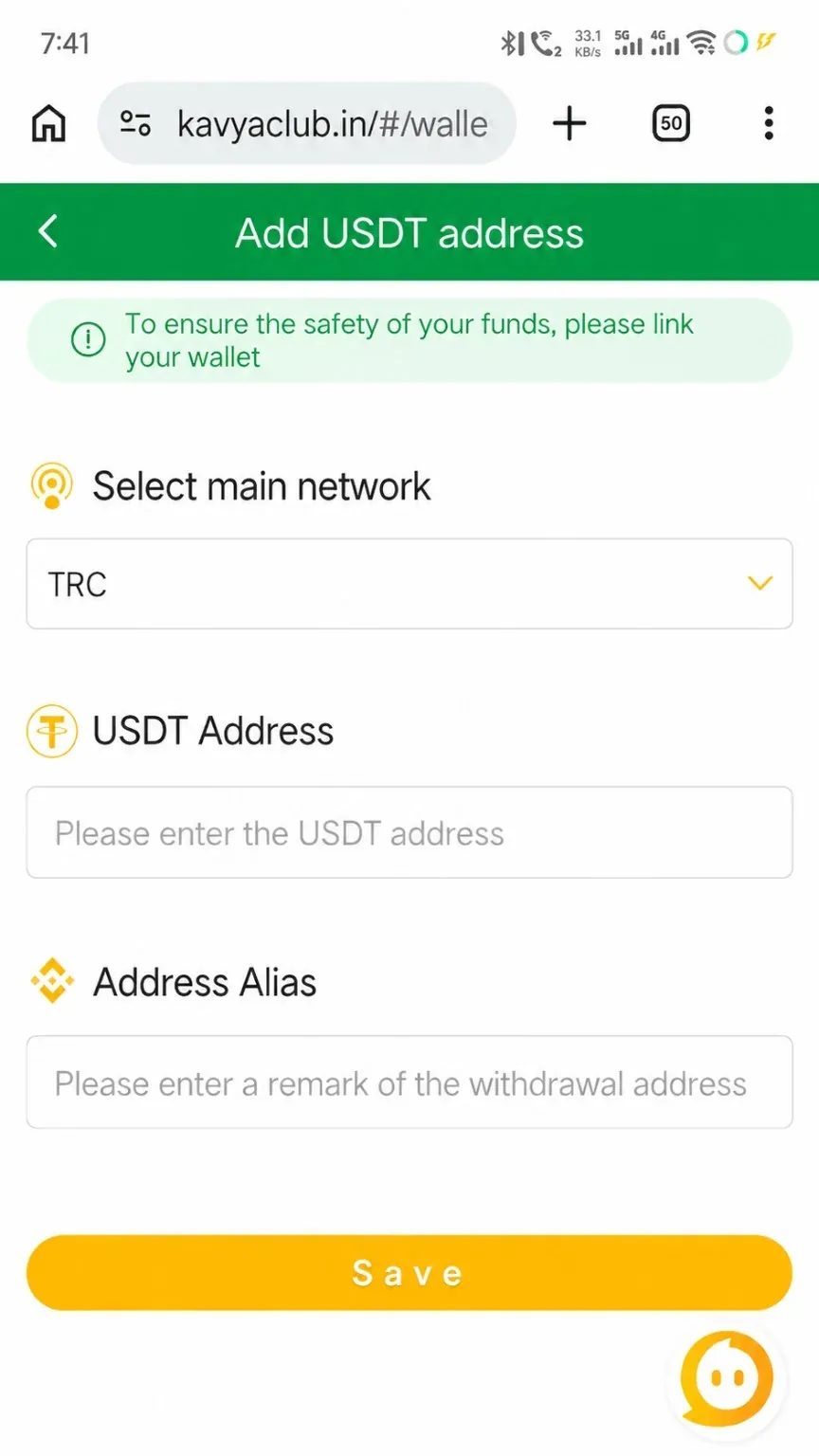
The wallet-address form requires the selected network, a complete USDT address and a label that helps identify the destination. TRC20 addresses and transfers must remain on the TRON network.
Before you start
- Open the receiving wallet and select USDT on TRC20 or TRON.
- Copy the receive address directly from the wallet.
- Confirm that the destination wallet supports incoming USDT TRC20.
Step-by-step instructions
- Open Payment Methods or Withdrawal Methods and choose Add USDT address.
- Select TRC20 as the network only when the receiving wallet also shows TRC20.
- Paste the full receiving address into the USDT Address field.
- Compare several characters at the beginning and end with the wallet screen.
- Enter a clear label, such as Personal TRC20 Wallet.
- Save the address and complete any verification prompt.
Common problems and solutions
| Problem | What to check |
|---|---|
| Address rejected | Re-copy it from the TRC20 receive page and remove spaces or line breaks. |
| Network mismatch | Do not save or withdraw until both sides show the same network. |
| Address changed after paste | Check for clipboard-replacement malware and compare the full address. |
| Unable to edit | Some systems lock saved addresses for security; use the approved replacement process. |
Safety notes
Important: When practical, confirm a newly added wallet address with a small permitted transfer. A transfer to the wrong network or address cannot normally be reversed.
Related help
Use the related-guide cards below to continue with the next account, payment, game or safety step.
Frequently asked questions
Is TRC20 the same as ERC20?
No. They are different networks and use different transaction systems.
What should I enter as Address Alias?
Use a private descriptive label that helps you recognize the wallet later.
Can I copy an address from chat?
Copy it from your own receiving wallet and verify every character instead of trusting a forwarded message.