Overview
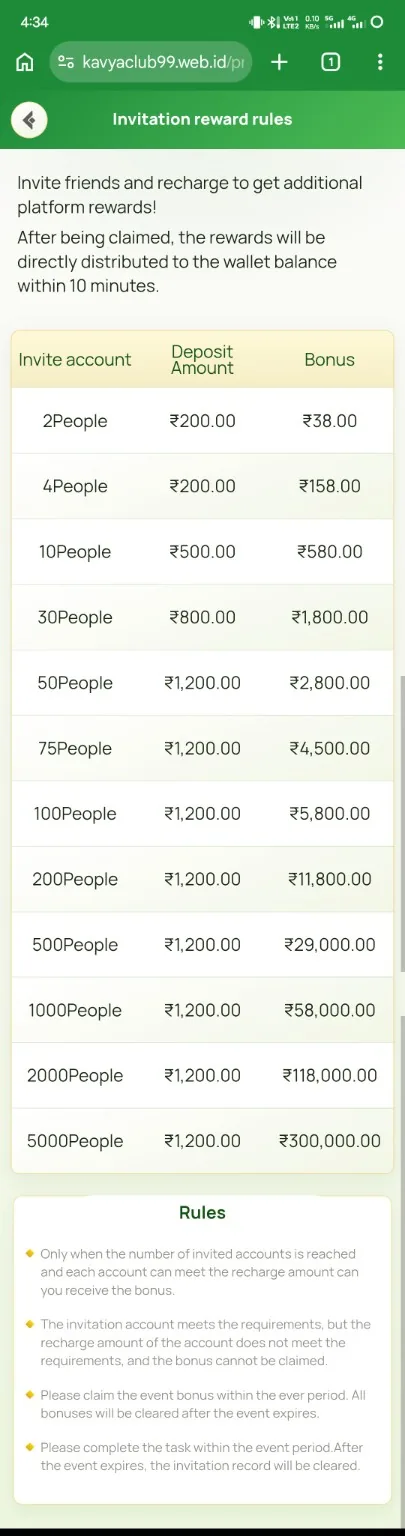
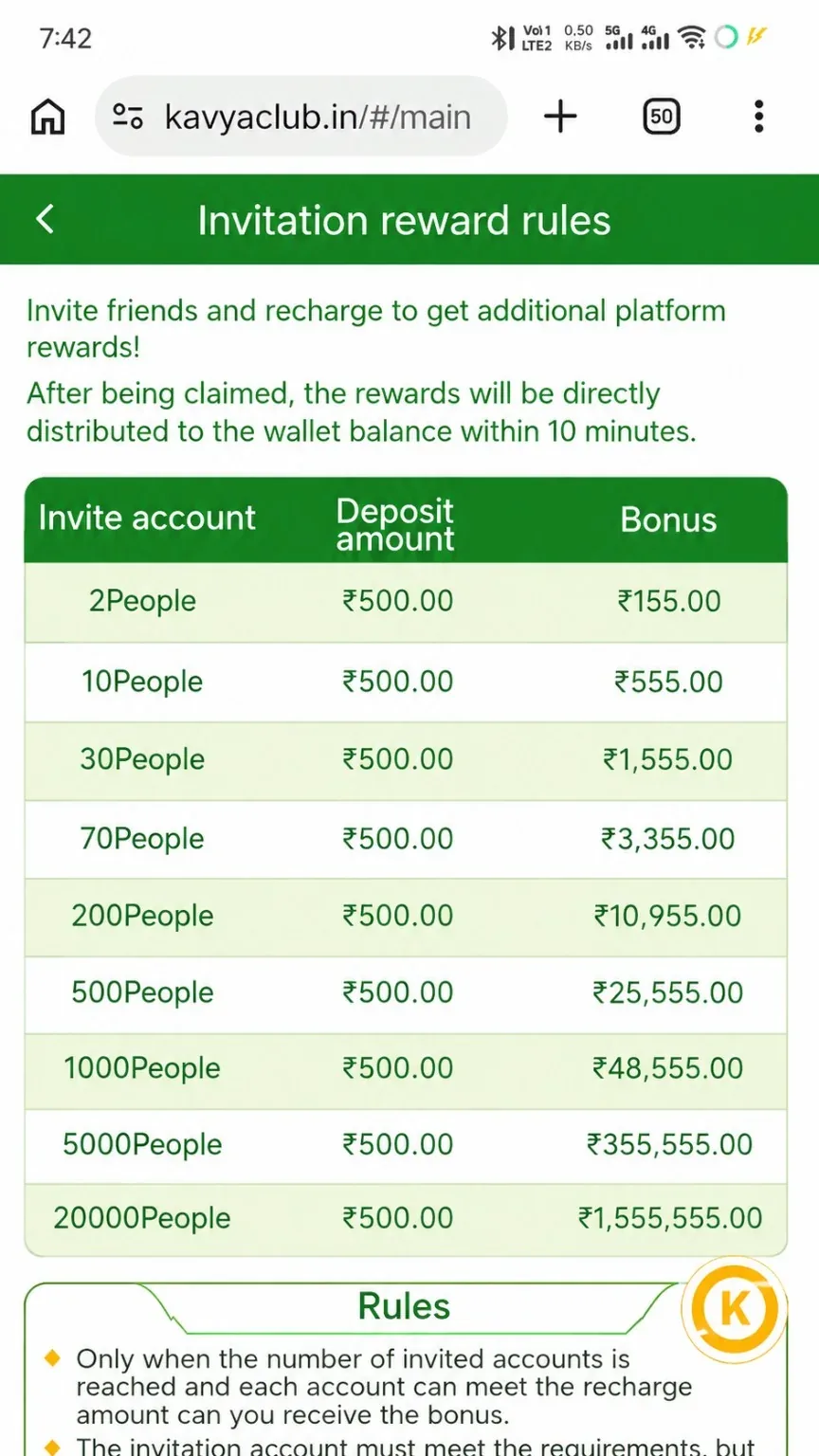
The Invite Bonus activity can reward eligible invitations after referred members meet the displayed requirements. The supplied table documents example tiers, while the current activity page controls the live rules, valid-member definition and claim period.
Before you start
- Open the official Invite Bonus activity and read all rules.
- Copy the invitation link from your own account.
- Explain the offer accurately without guaranteeing income or game results.
Step-by-step instructions
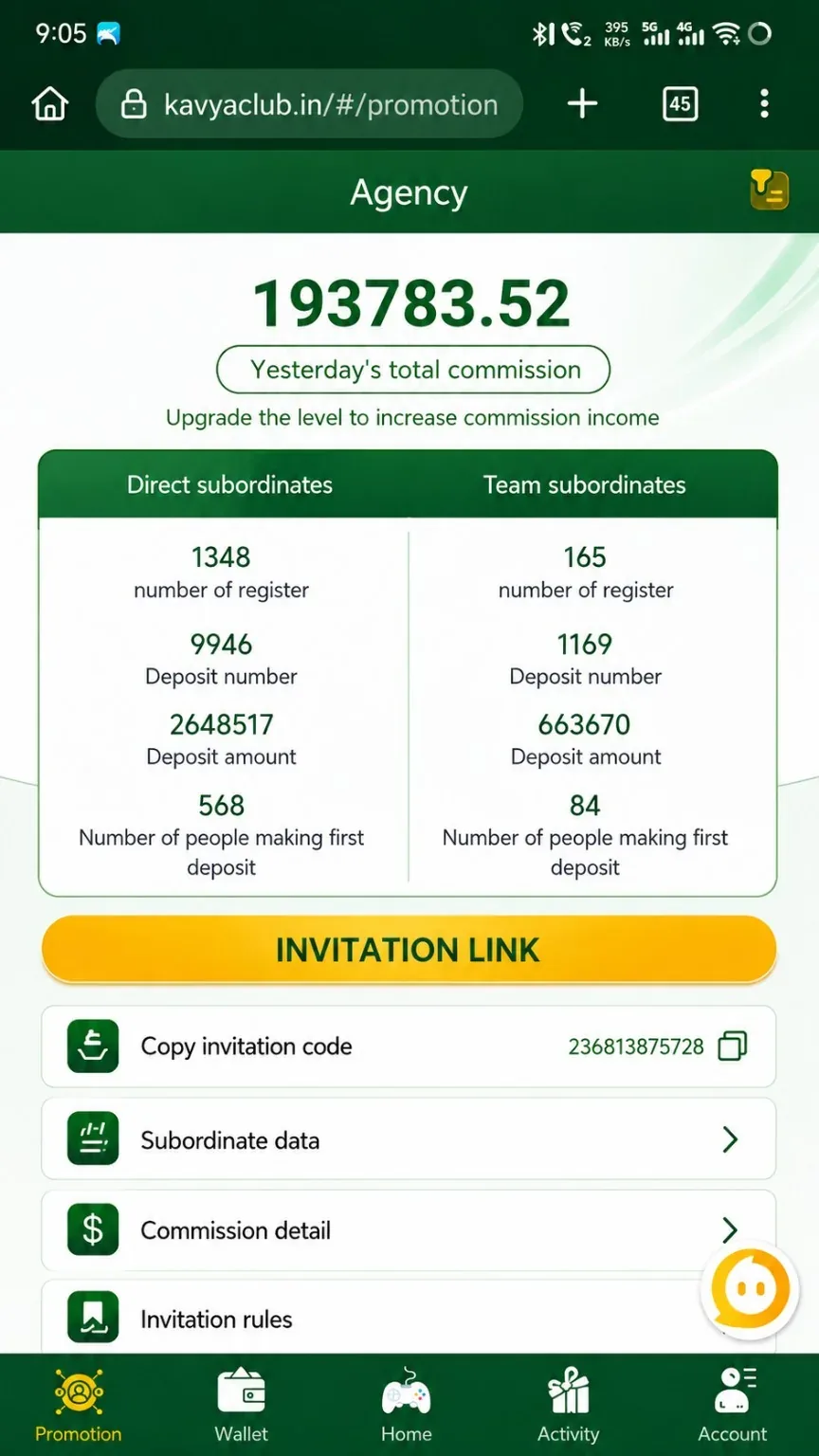
- Open Invite Bonus or Agent and copy the official invitation link.
- Review the required number of valid members and any deposit or activity conditions.
- Share the link through permitted channels without spam or misleading claims.
- Ask referred users to register and manage their own accounts securely.
- Monitor qualification data in the activity or agent dashboard.
- Claim the reward only when the activity shows eligibility.
- Keep the campaign period and member data for any support review.
Common problems and solutions
| Problem | What to check |
|---|---|
| Referral not linked | Confirm the user registered through the correct link or invite code. |
| Member not valid | Review deposit, activity, device and anti-abuse conditions. |
| Reward locked | Check whether all members and the claim period satisfy the current tier. |
| Tier values differ | Use the current live activity because campaigns can change. |
Safety notes
Important: Never create fake accounts, control referred accounts or request their OTPs and passwords. Such activity can be disqualified.
Related help
Use the related-guide cards below to continue with the next account, payment, game or safety step.
Frequently asked questions
Does registration alone qualify?
Not always. The live rules may require eligible deposits or activity.
Can I invite the same person twice?
Duplicate or linked accounts may be excluded by anti-abuse rules.
Are the screenshot tiers permanent?
No. They are a reference to the supplied screen; verify the current activity.