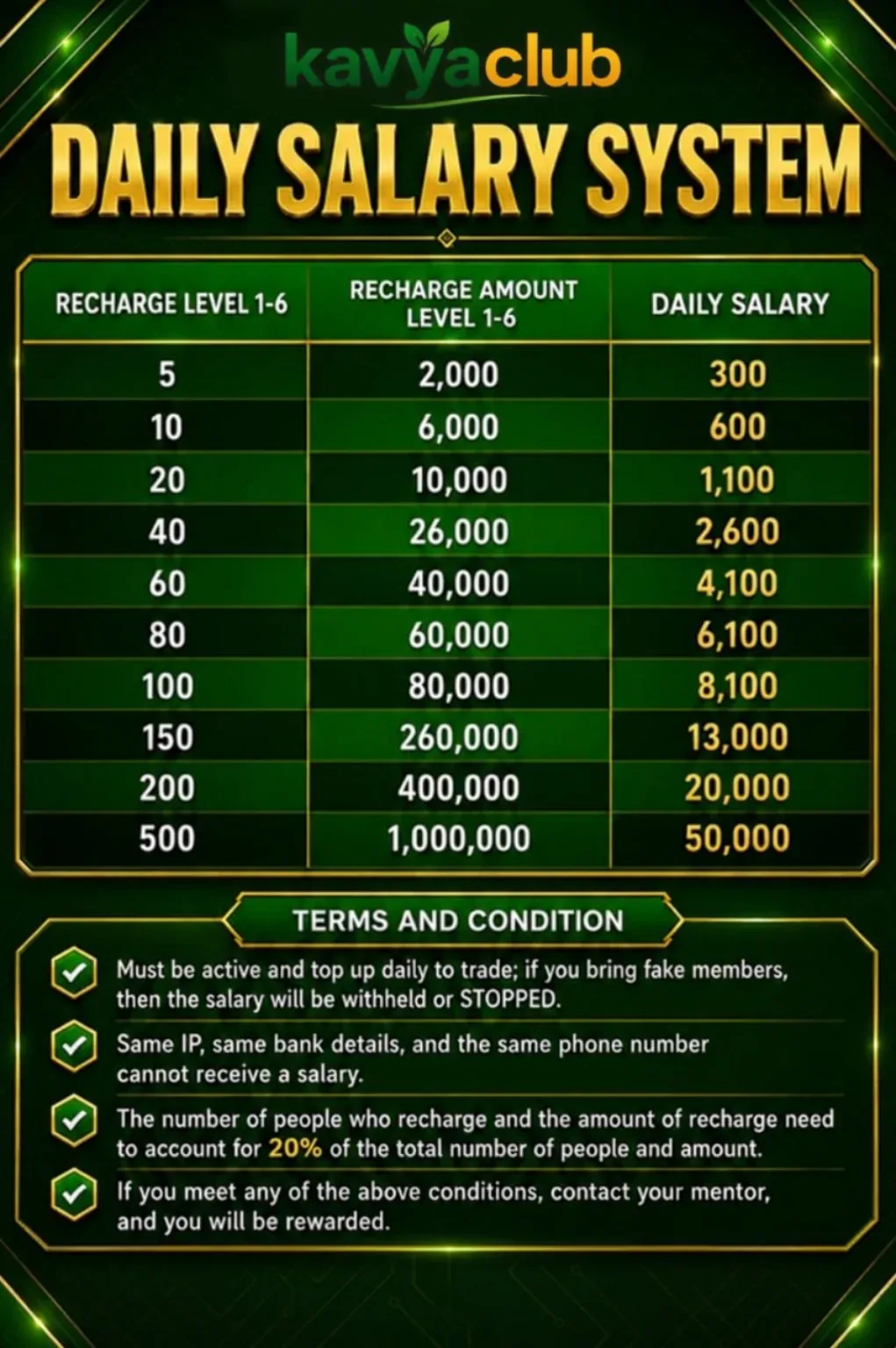
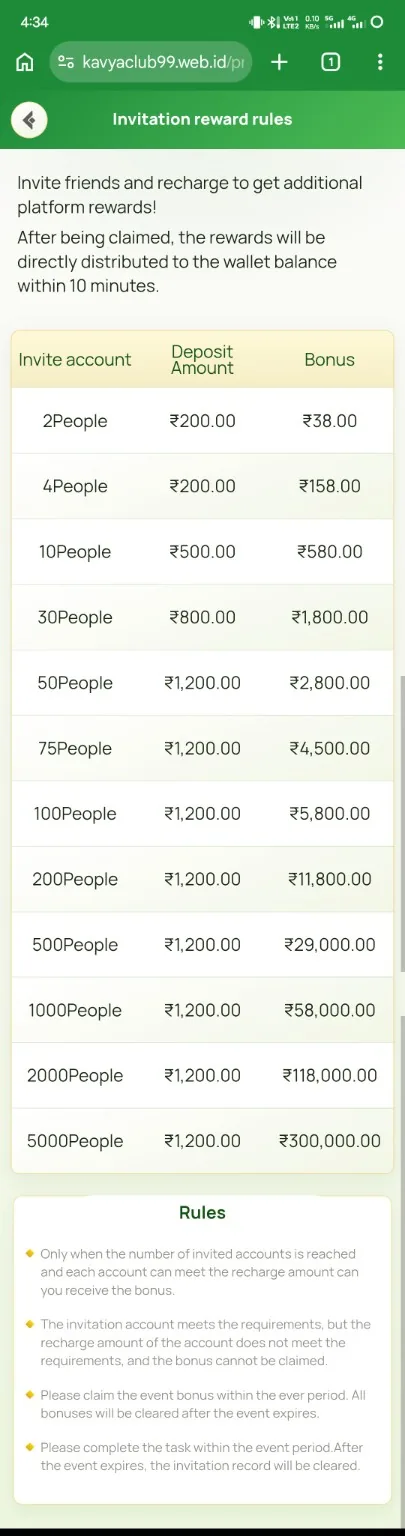
Overview
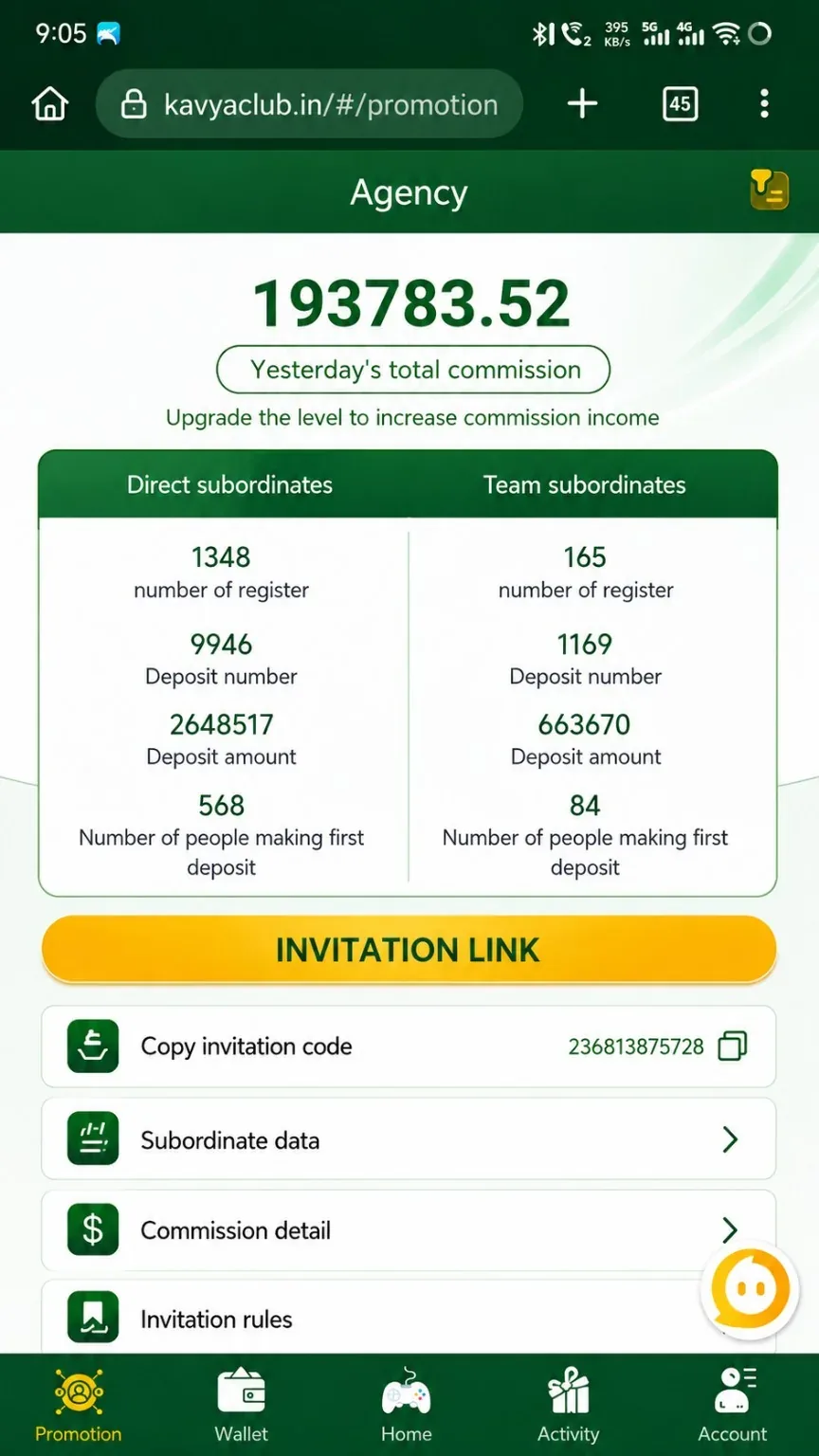
The Agent Data page can show totals, direct or team activity, invitation information and qualification metrics. Read the labels and selected date range carefully before comparing figures.
Before you start
- Confirm the dashboard date range and time zone.
- Understand the difference between registered, active and valid members.
- Keep the official invitation link private from unauthorized edits.
Step-by-step instructions
- Open Agent or Promotion and select the data dashboard.
- Choose the intended date range or settlement period.
- Review direct-member, team-member and valid-member labels separately.
- Copy the official invitation link from the dashboard when needed.
- Compare recharge, activity or commission figures with the same period.
- Use detailed records rather than a single headline number when checking a discrepancy.
- Export or screenshot the relevant period before contacting verified support.
Common problems and solutions
| Problem | What to check |
|---|---|
| Data appears zero | Check the selected date range and whether members met valid conditions. |
| Direct and team totals differ | They represent different relationship levels; read each label. |
| Invitation link changed | Copy a fresh link from the official dashboard. |
| Dashboard delayed | Wait for the reporting cycle and re-check the same period. |
Safety notes
Important: Share only the official invitation link. Do not ask members for login, OTP or payment credentials to make data appear active.
Related help
Use the related-guide cards below to continue with the next account, payment, game or safety step.
Frequently asked questions
Why do registered and valid members differ?
A registered member may still need to meet activity and anti-abuse conditions to become valid.
Which date range should I use?
Use the exact settlement or campaign period stated in the rules.
Can dashboard data update later?
Yes. Some metrics update after transaction or validation processing.