Overview
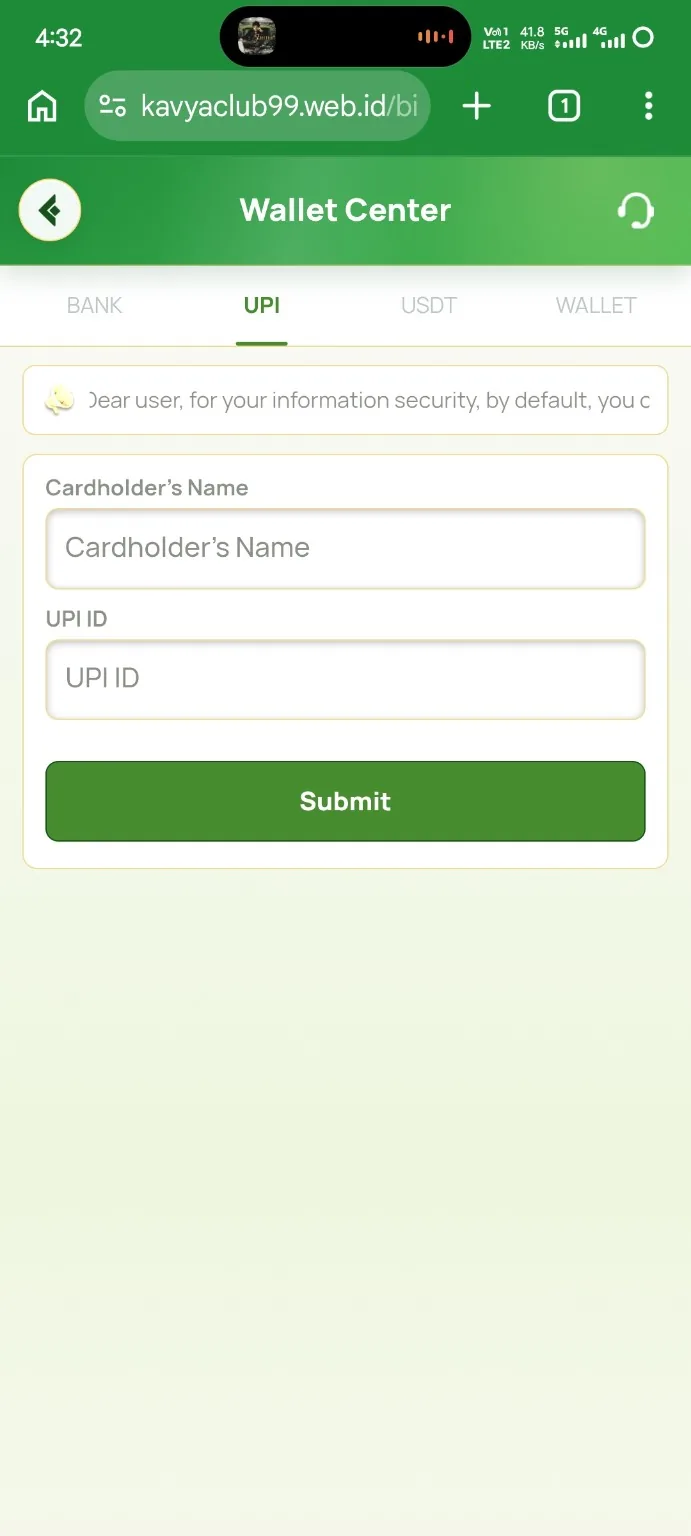
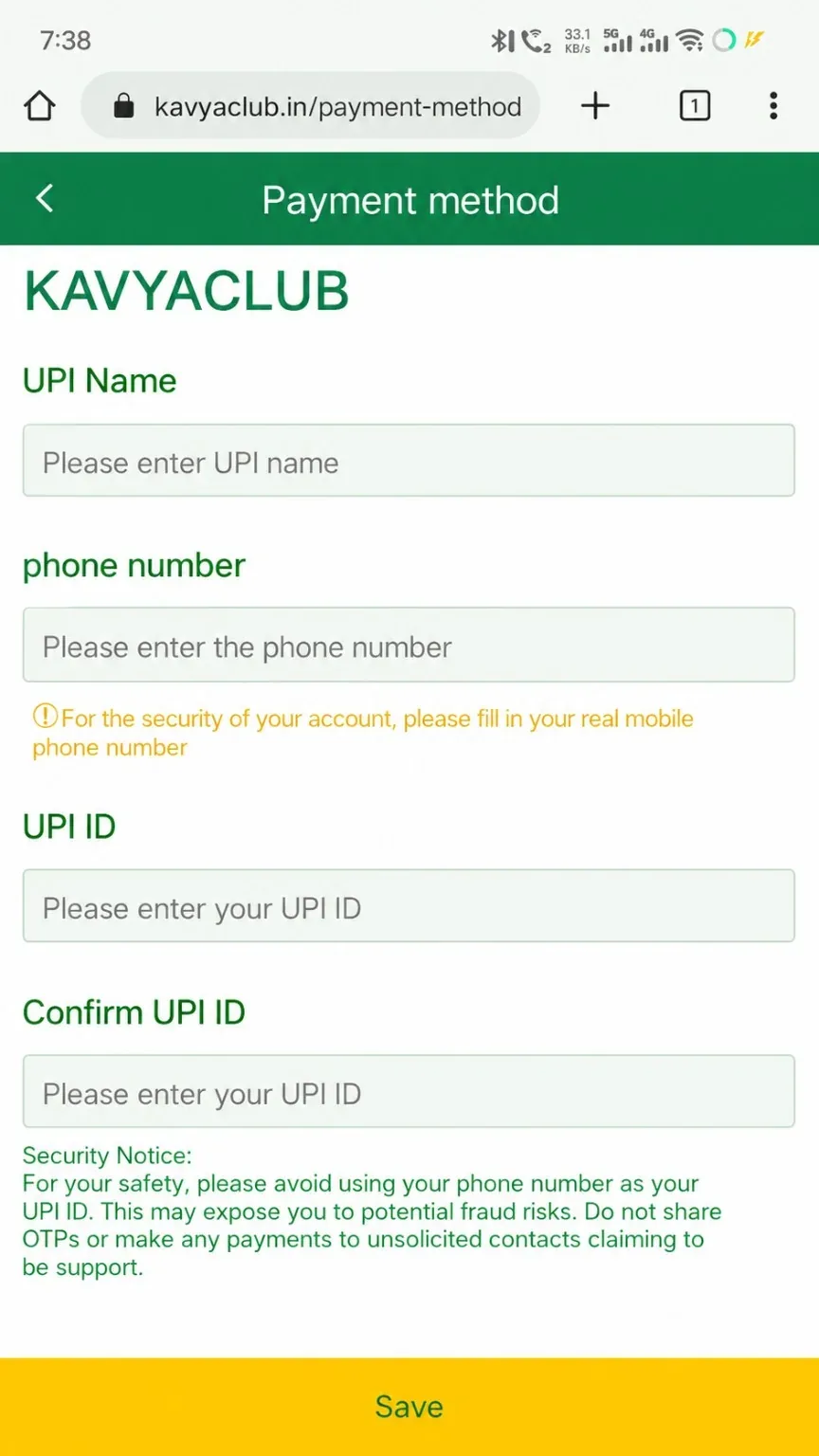
The UPI method form asks for the UPI holder name, phone number, UPI ID and confirmation. Details should match the account holder and the UPI app to reduce failed or delayed transactions.
Before you start
- Open your UPI app and confirm the exact UPI ID.
- Use the holder name shown by the linked bank account.
- Check whether the platform allows editing after the method is saved.
Step-by-step instructions
- Open Profile or Payment Methods and choose Add UPI.
- Enter the UPI holder name exactly as registered with the bank.
- Enter the phone number linked to the UPI account when requested.
- Paste the UPI ID, such as name@bank, and remove spaces.
- Type the same UPI ID again in Confirm UPI ID.
- Review every character and tap Save once.
Common problems and solutions
| Problem | What to check |
|---|---|
| UPI ID invalid | Check the @ handle, unsupported spaces and typing mistakes. |
| Confirmation does not match | Paste the same ID into both fields and compare them. |
| Holder name rejected | Use the bank-record name rather than a nickname. |
| Method already exists | Select the saved method or ask verified support about replacement rules. |
Safety notes
Important: A UPI ID can be shared for receiving money, but a UPI PIN and OTP must never be shared.
Related help
Use the related-guide cards below to continue with the next account, payment, game or safety step.
Frequently asked questions
What is the correct UPI ID format?
It normally contains an identifier, the @ symbol and a provider handle, for example name@bank.
Can I add another person's UPI ID?
Use a method in the permitted account holder's name and follow the platform's identity rules.
Why is confirmation required?
It reduces failed transfers caused by one mistyped character.