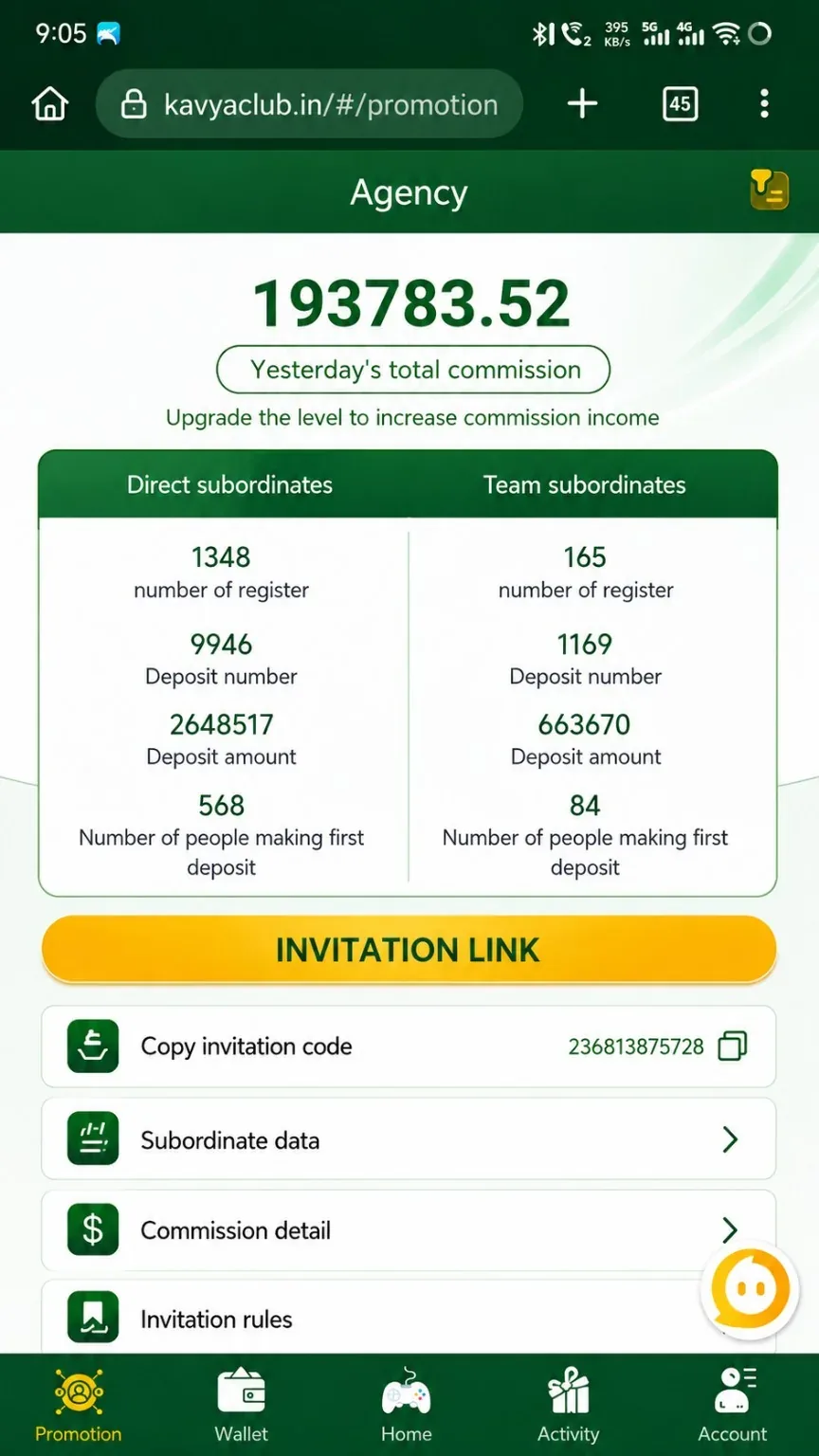
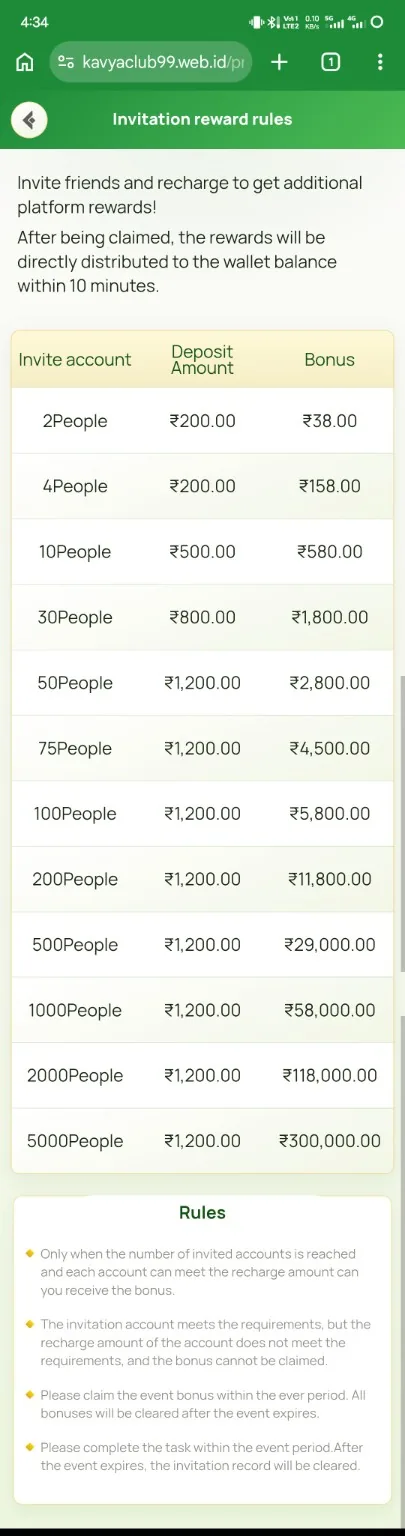
Overview
Kavyaclub agent campaigns can include daily salary, sub-agent and head-agent levels, recharge bonus, hold advance and advertising support. Each component has separate qualification, settlement and anti-abuse conditions. The supplied posters are examples and the current signed rules are authoritative.
Before you start
- Read each campaign's separate terms and settlement period.
- Confirm valid-member, recharge, performance and level requirements.
- Keep records of approved advertising and eligible activity.
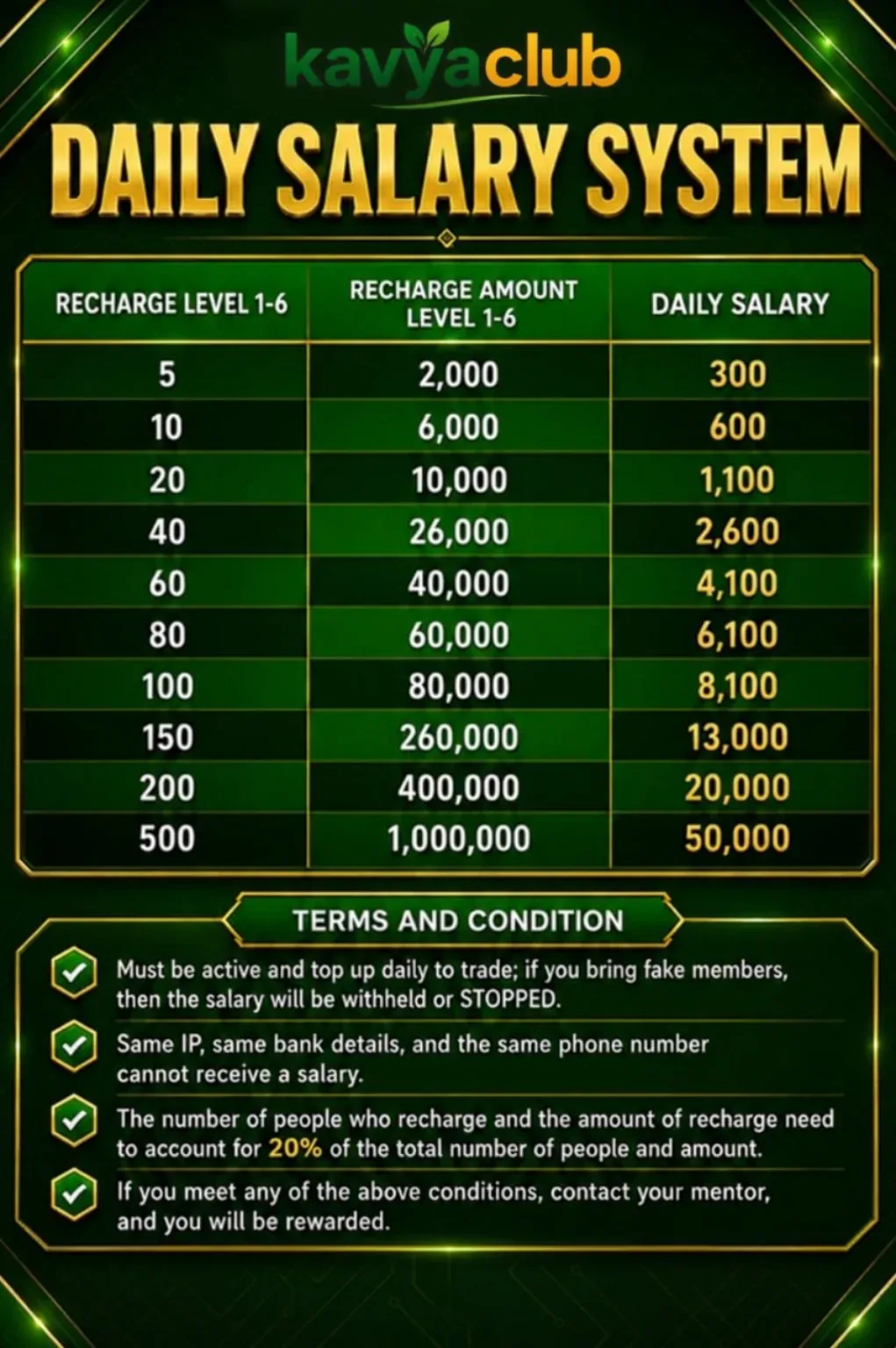
Step-by-step instructions
- Open the Agent or Promotion area and identify the active salary campaign.
- Confirm your current role, such as sub-agent, agent or head agent.
- Read the qualifying recharge, valid-member, performance and level rules.
- Use only approved advertising materials and channels.
- Track the relevant data for the same campaign period.
- Compare the dashboard result with the correct table and settlement schedule.
- Submit an official review request with evidence when a qualified reward remains pending.
Sub-agent salary reference
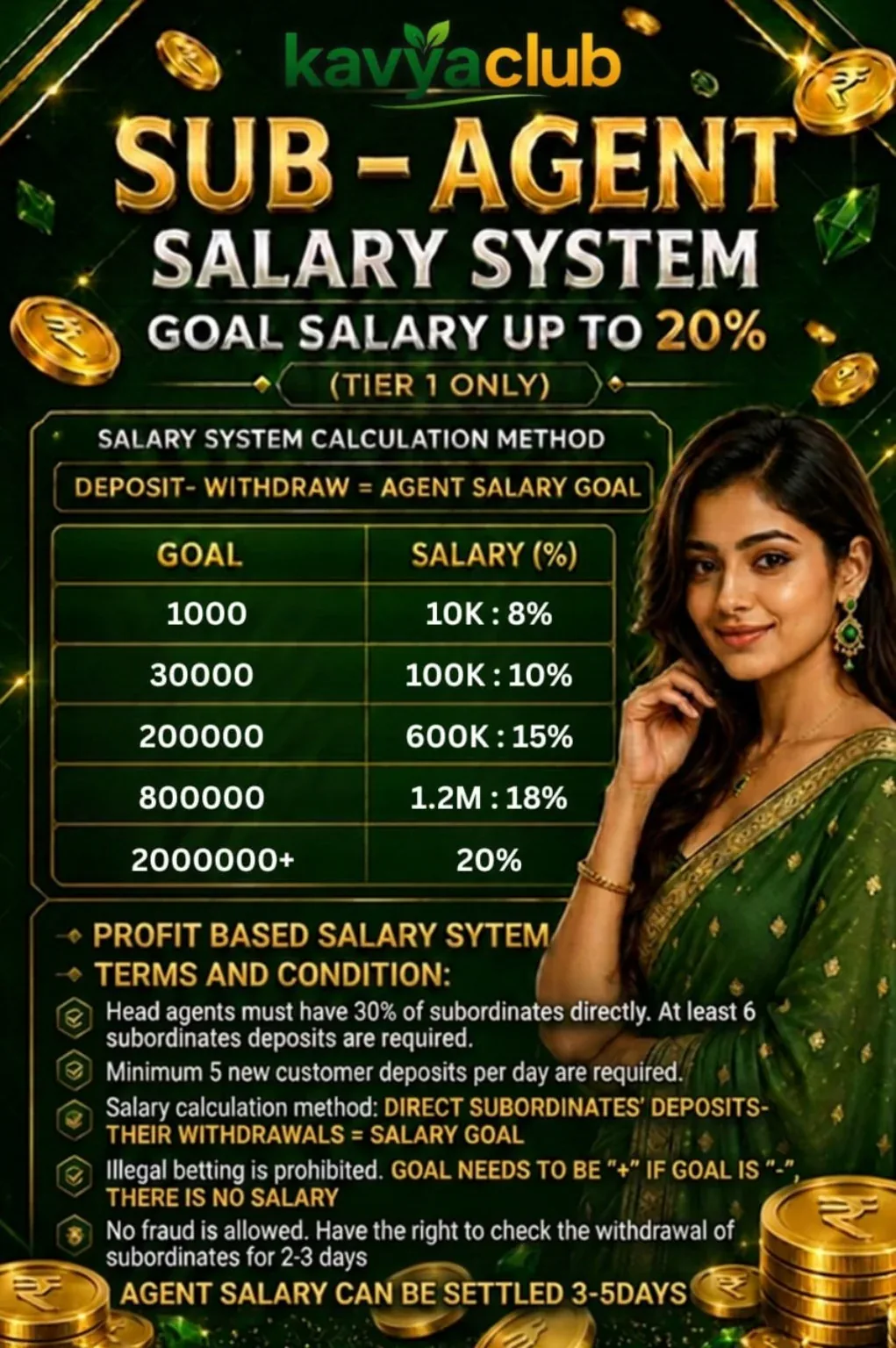
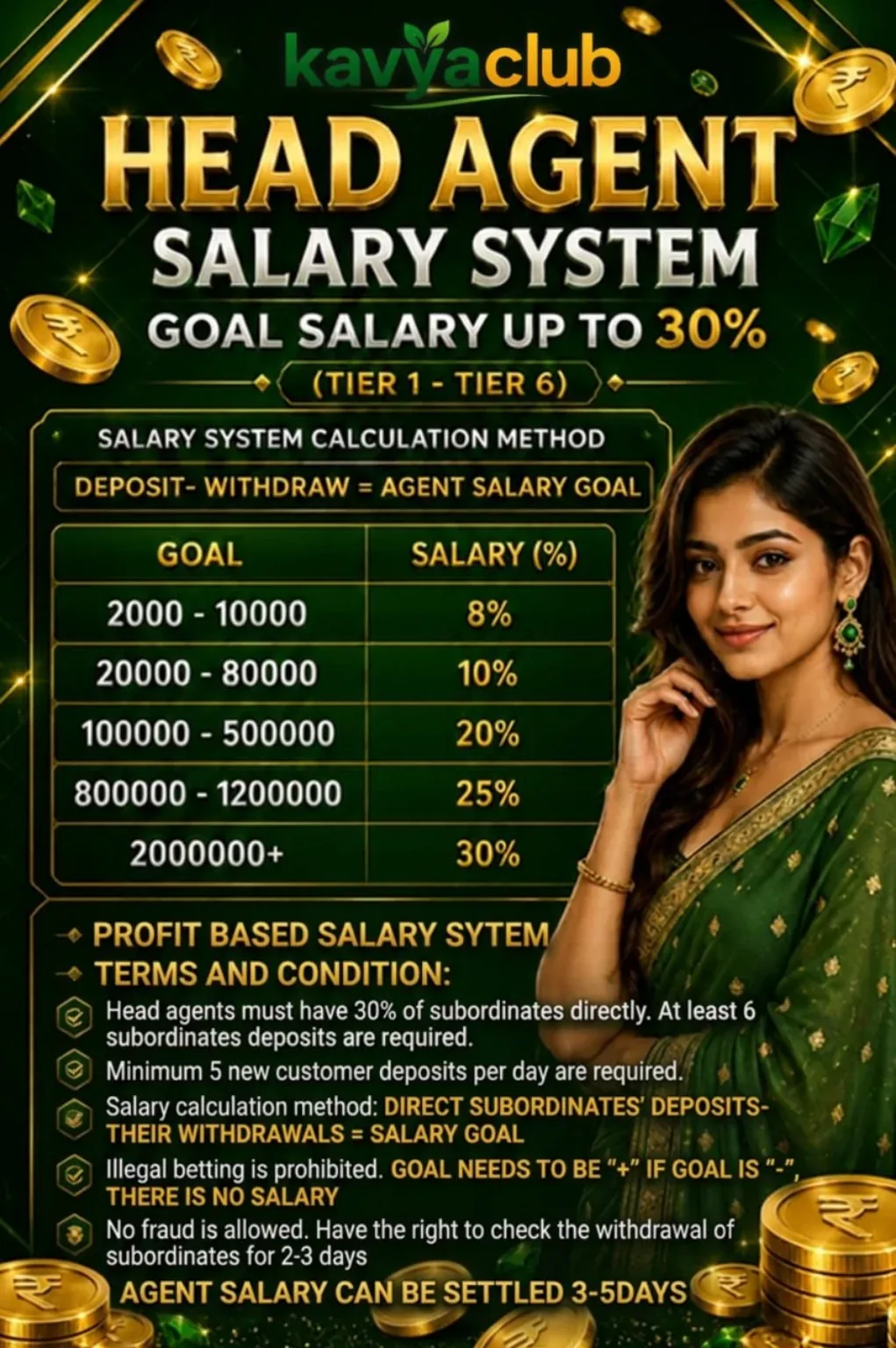
Head-agent salary reference
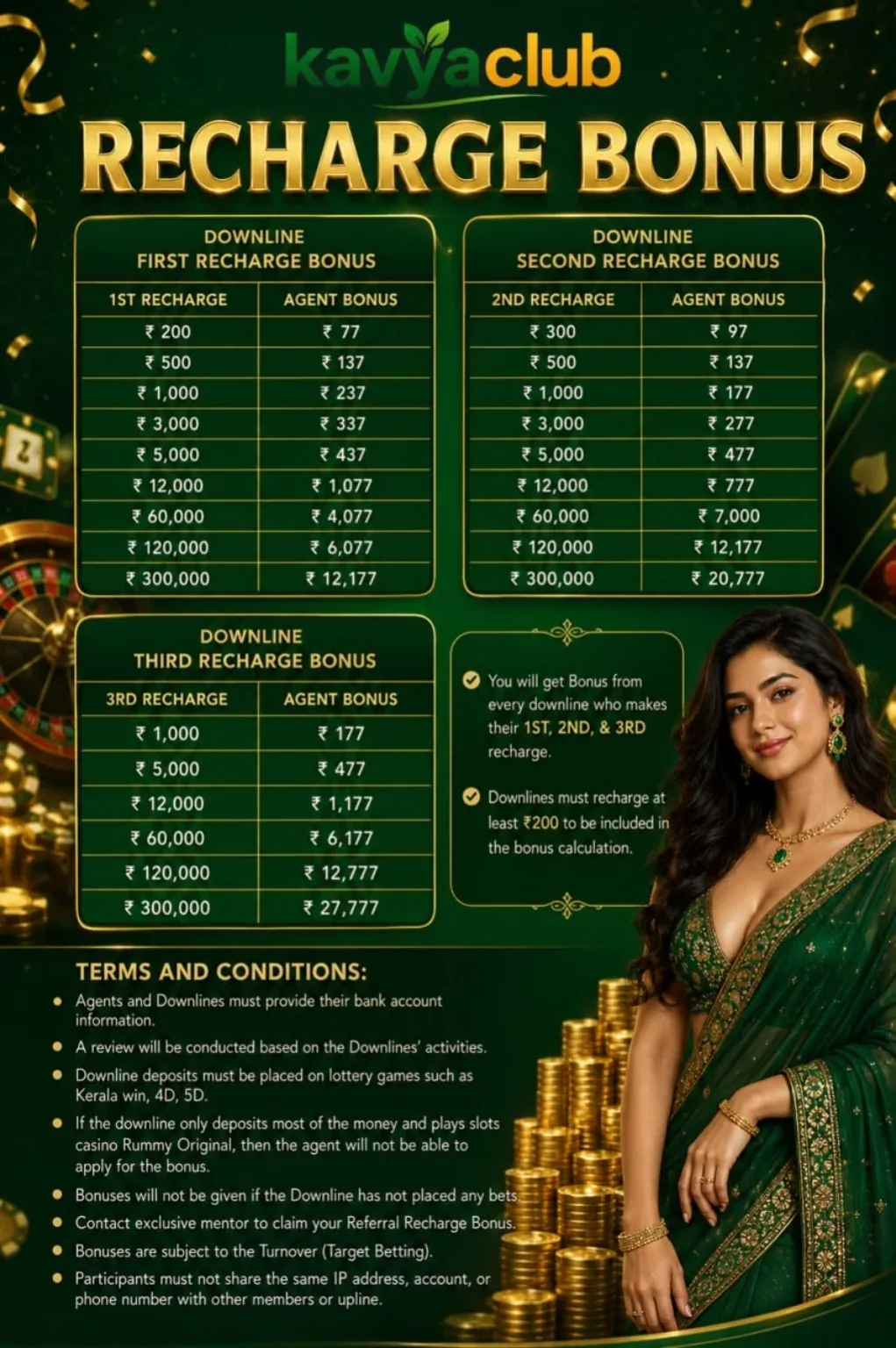
Recharge bonus reference
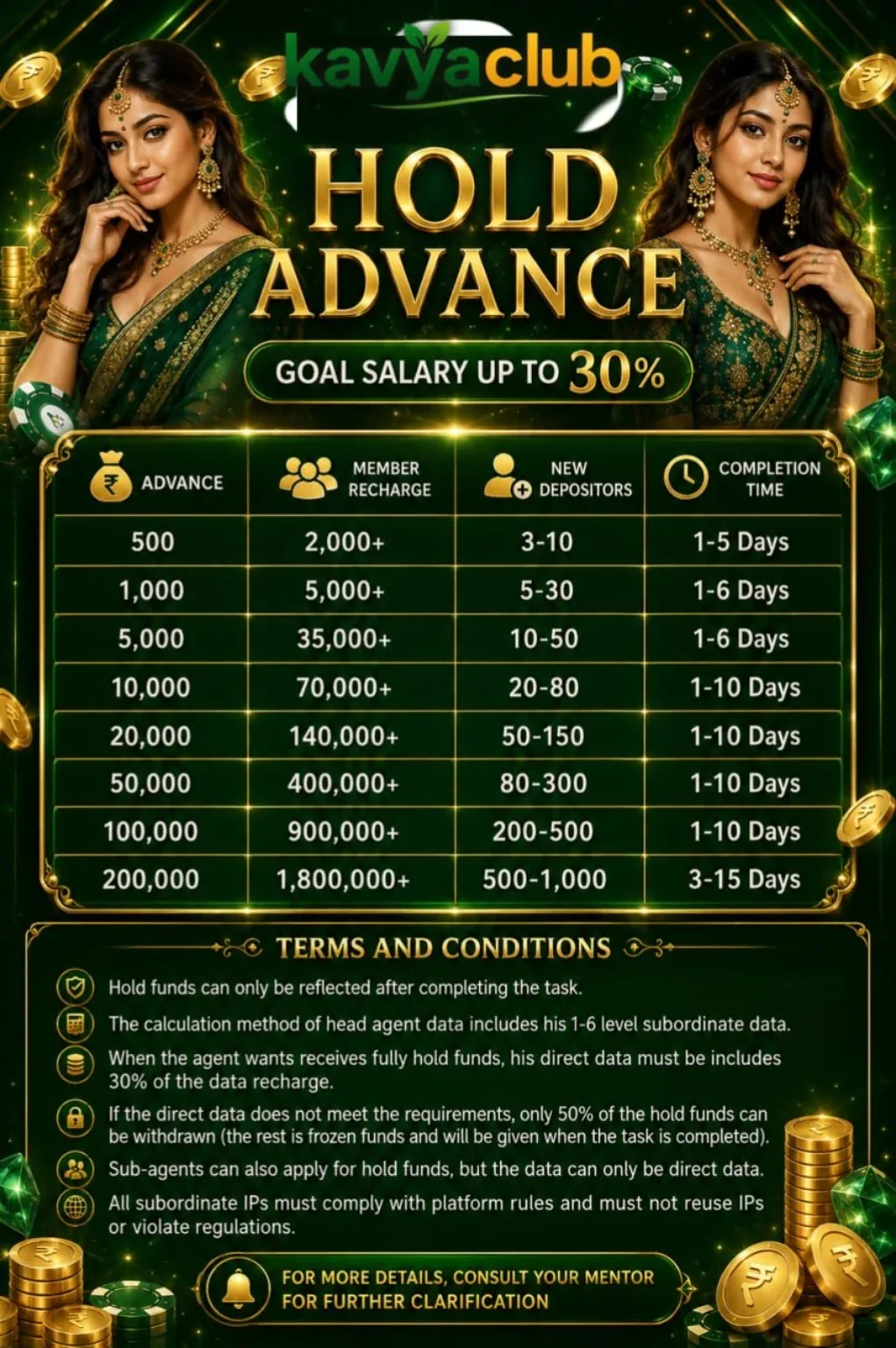
Hold advance reference
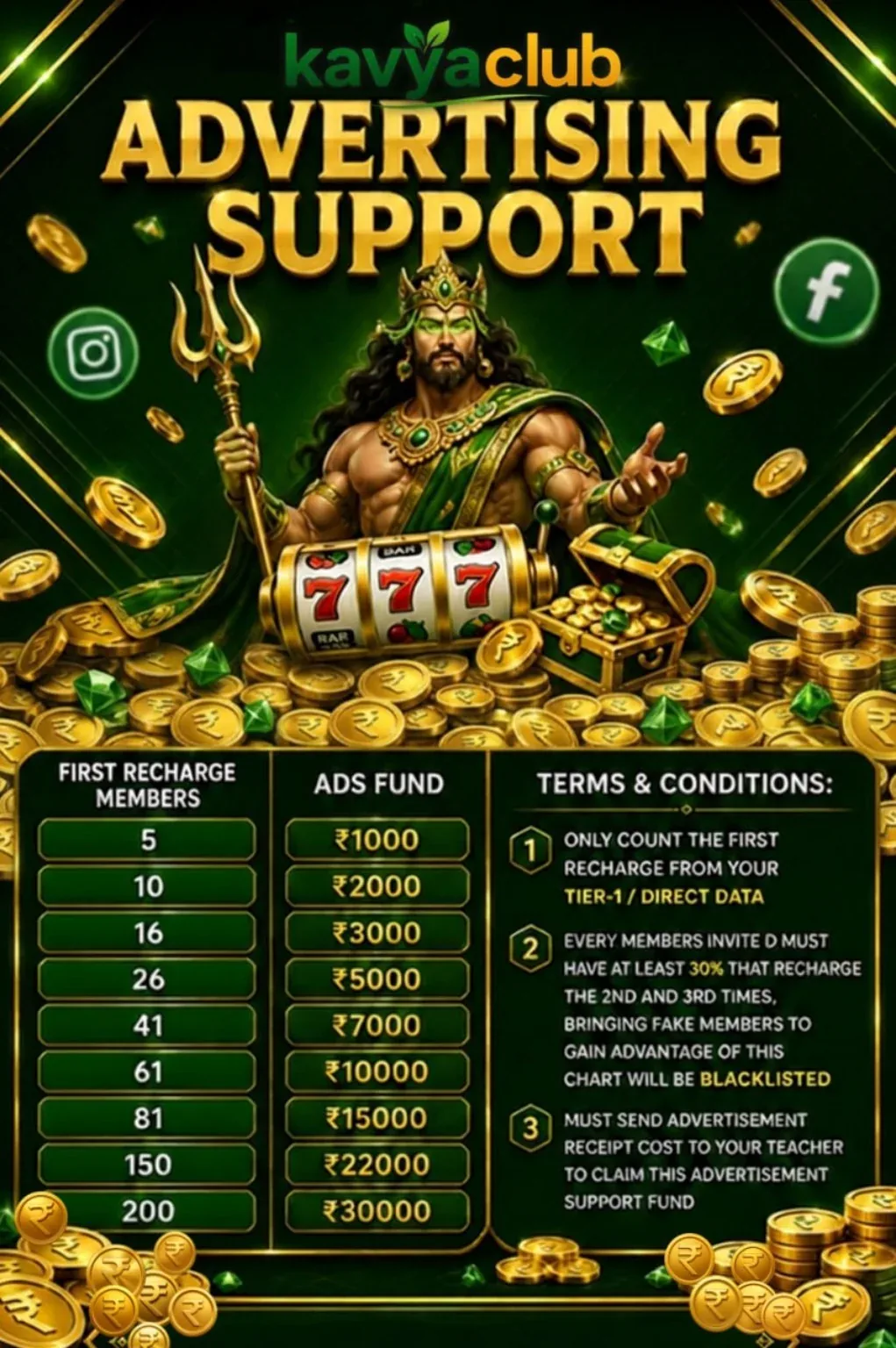
Advertising support reference
Common problems and solutions
| Problem | What to check |
|---|---|
| Salary not credited | Check the exact role, level, period, valid-member and recharge conditions. |
| Advertising claim rejected | Confirm prior approval, permitted channel and proof requirements. |
| Level calculation differs | Use the campaign's own table and same-period dashboard data. |
| Member activity excluded | Review duplicate, fake, linked-device and other anti-abuse exclusions. |
Safety notes
Important: Do not promise fixed income, guaranteed rewards or guaranteed game profit. Do not purchase fake accounts or member data.
Related help
Use the related-guide cards below to continue with the next account, payment, game or safety step.
Frequently asked questions
Can multiple salary campaigns be combined?
Only when the current written terms explicitly permit it.
What proof is needed for advertising support?
Use the approved campaign's required screenshots, links, invoices or performance records.
Why can a valid-member count change?
Validation and anti-abuse checks may update the count after initial registration.