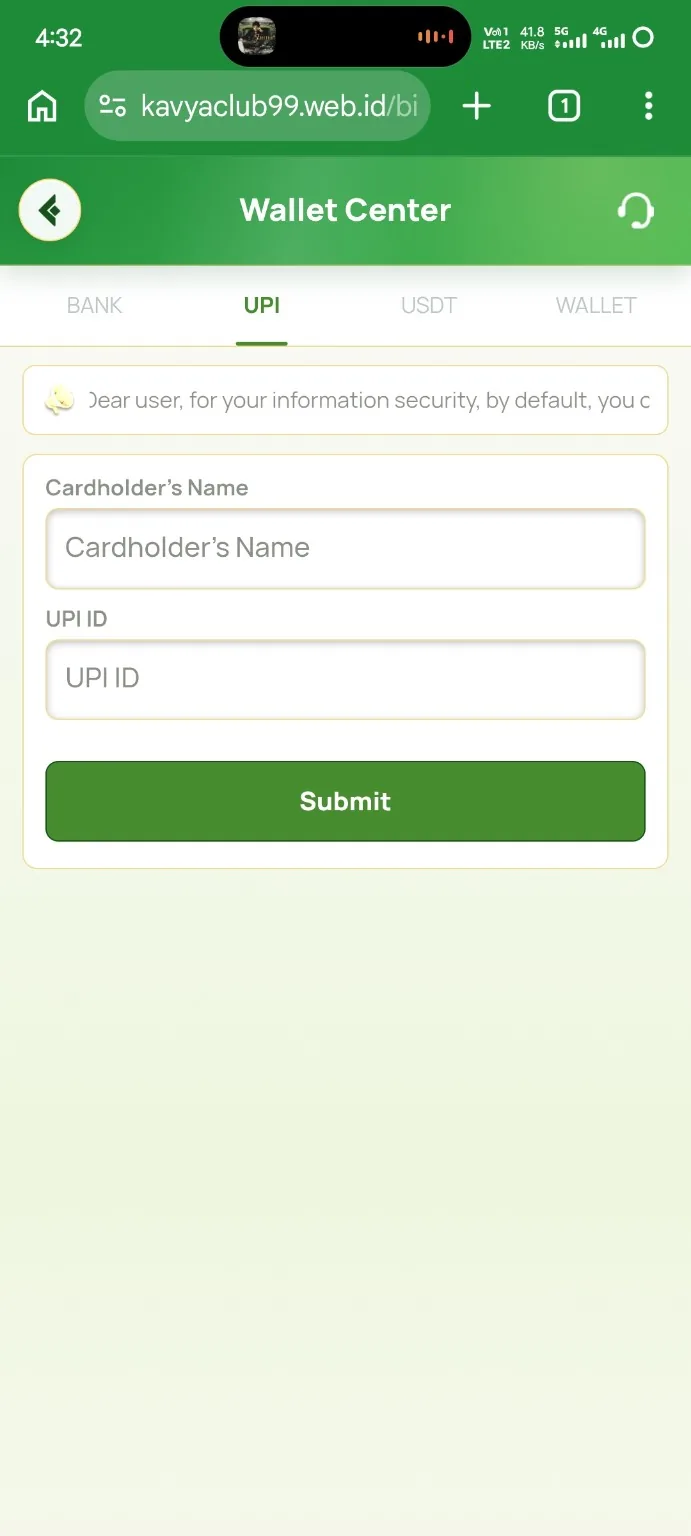
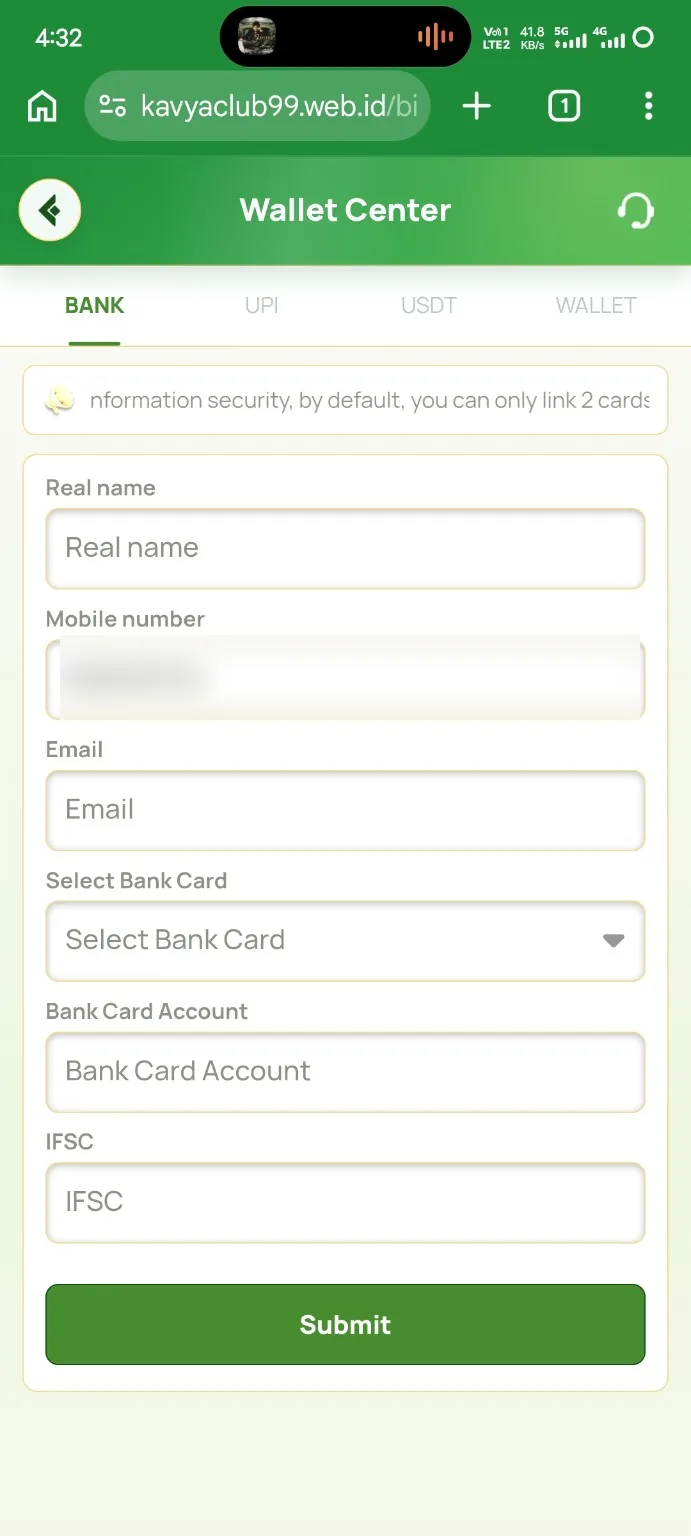
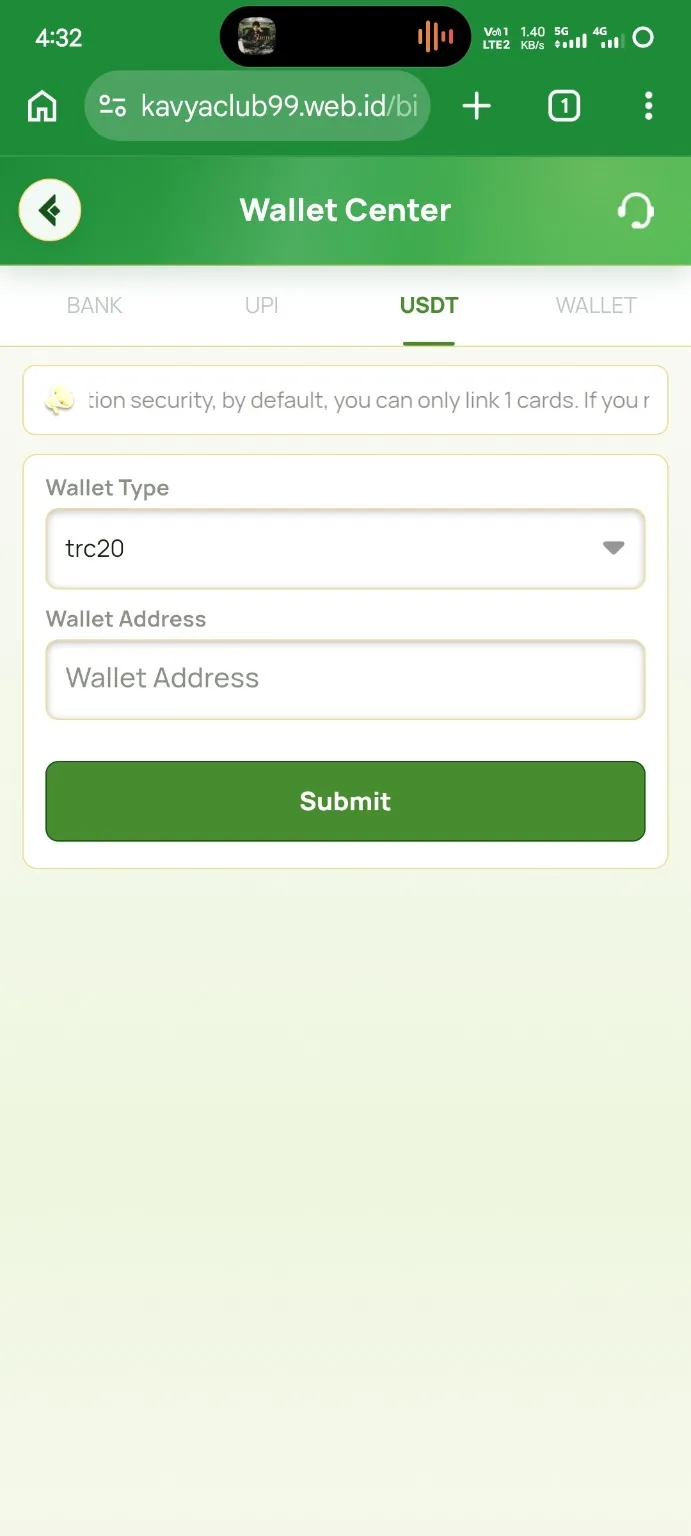
Payment details are easy to enter and difficult to correct after money is sent to the wrong destination. A useful habit is to treat the Save button as the final step of a verification process rather than the first step. Kavyaclub has separate guides for UPI, bank and USDT details, and each method has a few fields that deserve extra attention.
UPI ID: check the handle, not just the name
A UPI ID normally contains a user identifier and a provider handle separated by an @ symbol. Read the full value after entering it, including the characters after the @ sign. If the form asks you to confirm the UPI ID, type or paste the same value again and compare the two fields before saving. The UPI ID guide explains the fields shown on the Kavyaclub payment-method page.
The account-holder name should also match the payment account you control. Avoid adding another person’s UPI details simply because they are available on your phone. Keeping the payment method under your own control makes verification and troubleshooting much clearer.
Bank account: verify account number and IFSC separately
For bank details, do not rely on a single visual check. First compare the account number with your bank app or statement. Then verify the IFSC code independently. A correct account number with a wrong IFSC, or a correct IFSC with a mistyped account number, can still cause a problem.
The bank account guide covers bank selection, account-holder name, account number, phone number and IFSC. If the name shown in your bank record is different from the name you normally use, enter the bank-record version where the form requires the account holder’s name.
USDT address: network first, address second
Crypto addresses cannot be checked only by appearance. Start by confirming the network. If Kavyaclub asks for a TRON TRC20 receiving address, obtain the address from the TRC20 receive screen of your own wallet or exchange. Do not paste an ERC20 or BEP20 address into a TRC20 field simply because it is also labelled USDT.
After pasting, compare several characters at the beginning and end of the address. The USDT TRC20 address guide also explains the address alias field, which is only a label to help you recognize a saved wallet later.
A simple two-pass routine
Before saving any payment method, use two passes. On the first pass, compare every field with the source: payment app, bank app or wallet. On the second pass, ignore the source and read the form as if you were checking someone else’s work. This catches transposed digits and missing characters surprisingly well.
Protect the credentials behind the payment method
Adding an account does not require you to share the secret that controls it. Never provide a UPI PIN, ATM PIN, wallet seed phrase, private key or one-time banking password to someone who says they need it to verify a saved payment method. A support conversation may require a masked screenshot or transaction reference, but it should not require the credential that authorizes spending.
Careful payment setup takes an extra minute and can save hours of troubleshooting. Verify ownership, network, identifiers and spelling before saving, and re-check the destination again whenever you make a future withdrawal or transfer.